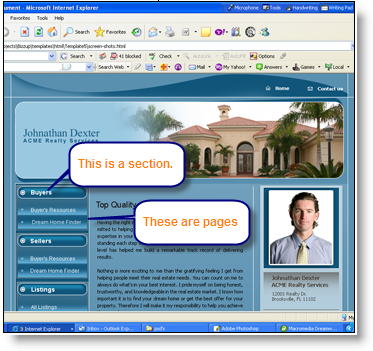
Sections separate your website�s navigation into groups and allow you to perform group operations such as �delete� to all the pages/links in that group. Sections are not actual pages that your website visitors can click on but acts as visual aids in categorizing your navigation pages.
For example: You may have a Resources section which contains pages with articles and other resourceful information.
From the My Website page, click on Add section link in the navigation panel. The Add Section screen appears.

Enter the name of section and select a status from the drop down list. Click Save and continue. These changes are updated in the system and are reflected on your website.
Three types of status are defined in the system. You can mark the status as Active, Not Active or Deleted.
NOTE: When you deactivate a section, the section name and all pages within that section will not appear in your website�s navigation.