The Account control panel is your gateway to manage your website pages and content. This easy to use interface provides all the tools you need to grow your business including a contact manager, listing manager, and more. Use the Account control panel to create new pages or edit existing pages instantly with our Page Editor. Add text, hyperlinks to other sites on the Internet, multiple photos, bullet points, background colors or images, and much more.
This table describes the major functions of each tab in the Account control panel. The Account control panel is what you see when you log in to your account with a valid Login Email and Password. Using the Account control panel, you can customize your website, manage your account, create and manage listings and contacts, manage your office agents and develop marketing campaigns. All changes that you make are effective immediately. Take a quick glance at the features. The screenshots following the table provide a view of the interfaces.
|
MAIN FEATURE |
MAJOR FUNCTIONS |
|
Admin Home |
|
|
My Website |
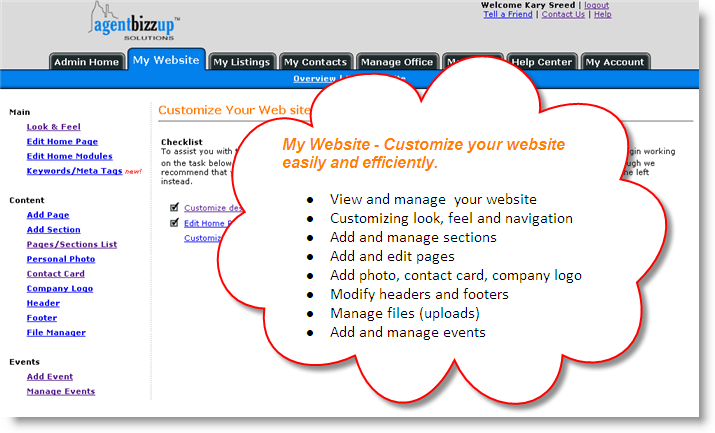
� View and manage your website � Customize look, feel and navigation � Add and manage sections � Add and edit pages � Add photo, contact card, company logo � Modify headers and footers � Manage files (uploads) � Add and manage events |
|
My Account |
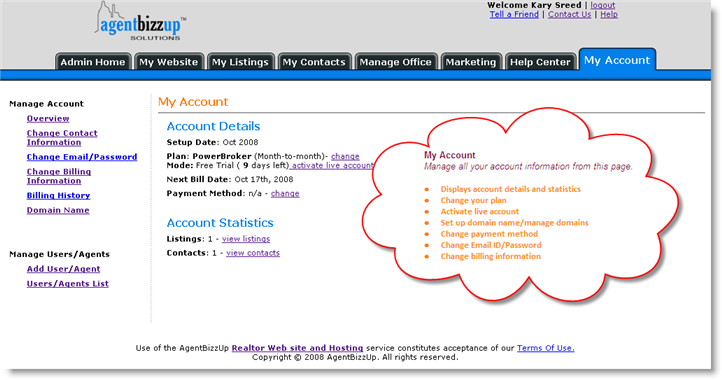
� Displays account details and statistics � Change plan � Activate live account � Set up domain name/manage domains � Change payment method � Change Email ID/Password � Change billing information � View billing history |
|
My Listings |
� Add listing � Manage listings � Add listing groups � Manage group � Create property disclaimer |
|
My Contacts |
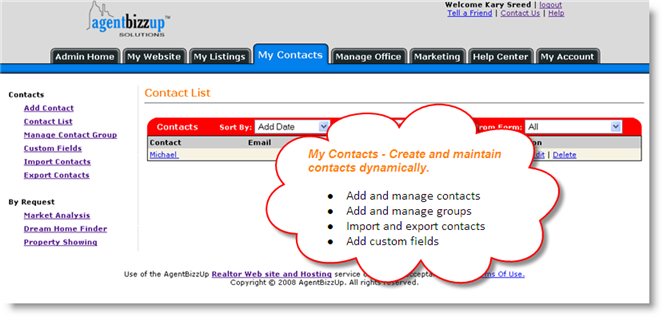
� Add and manage contacts � Add and manage contact groups � Import and export contacts � Add custom fields |
|
Manage office (PowerBroker plan only) |
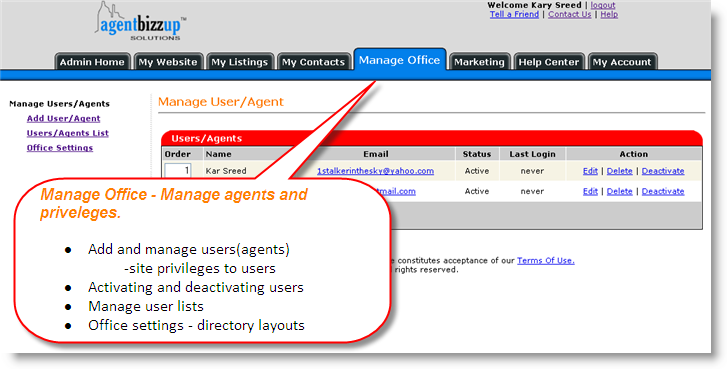
� Add and manage users (agents) � site privileges to users � Activating and deactivating users � Manage user lists � Office settings � directory layouts |
|
Marketing |
� Create email campaigns � View campaign summary � manage meta tags/keywords � Search marketing �Buy Search engine marketing/Search engine optimization services |
|
Help Center |
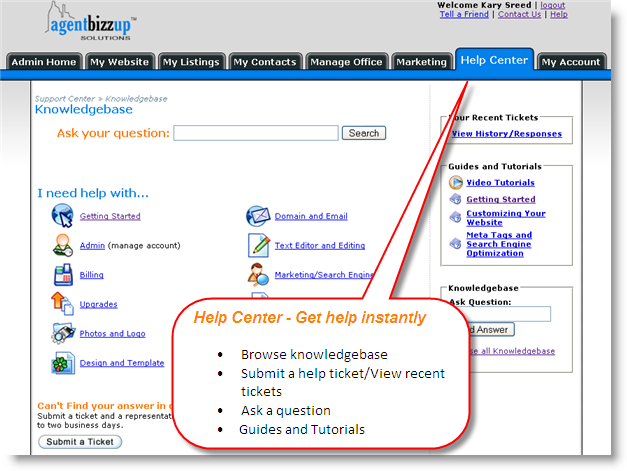
� Browse knowledge-base � Submit a help ticket/View recent tickets � Ask a question � Guides and Tutorials |
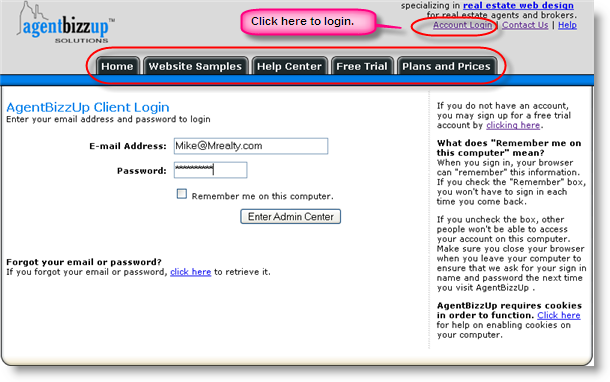
Login page: After you create your account using your Email ID and Password, you can access the Account control panel. Click Account Login on the top right section of the website and provide your Email and Password to access the Admin panel.
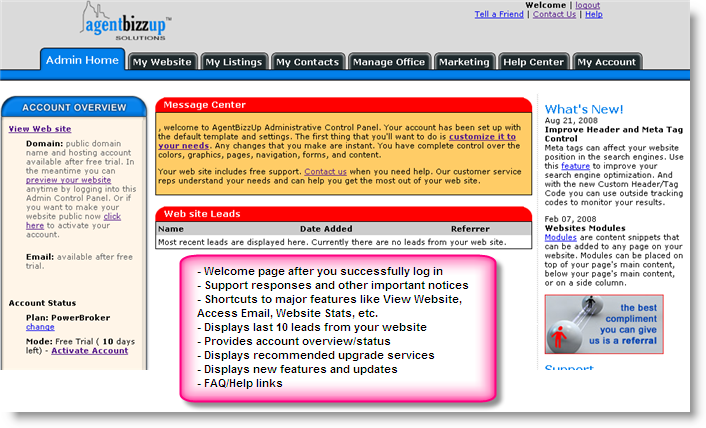
Admin Home: After you log in you can view the Account control panel and work with the various features provided to customize your website and manage your account.
My Website: Customize your website using this tab.
My Listings: Manage your listings easily and effectively.

My Contacts: Manage contacts and contact groups.
Manage Office: Create an account for each agent in your office.
Marketing: Build Email campaigns and manage search marketing.

Help Center: Access knowledgebase, video tutorials and user guides or open a support ticket.
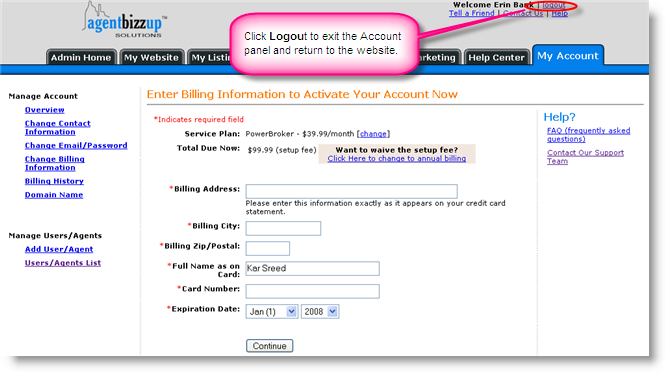
My Account: Manage billing and account information.
Logging out: After you log out of the account panel, you are returned to Zealder.com's public website.