If you are using AgentBizzUp for the first time, you will typically go through the following cycle. Start a free trial website. Customize your website to meet your business goals and reflect your brand. Once you are satisfied with the website, you can choose to activate it and publish it on the internet.
NOTE: If you already have a domain name, you can add this domain name to your website after activating your account. If you do not have a domain yet, AgentBizzUp can help you acquire one.
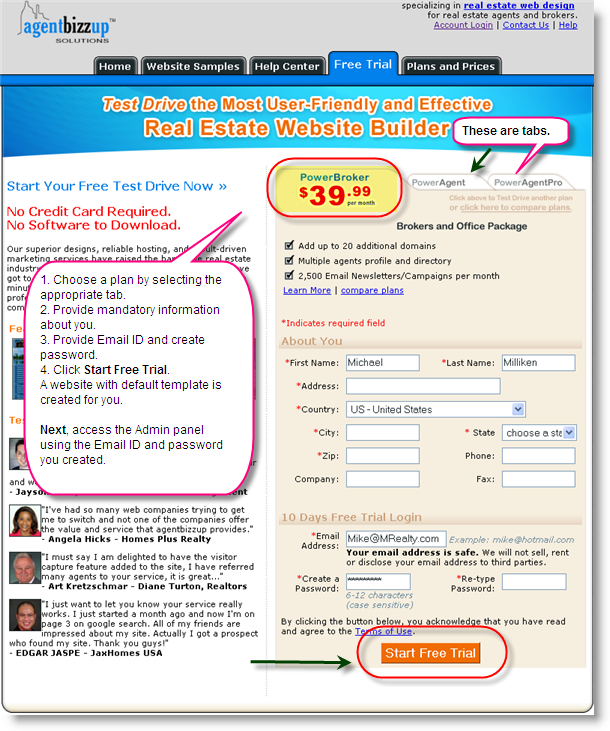
Go to the website www.agentbizzup.com and select Free Trial. Provide your contact information and your login credentials. A free trial website is created for you instantly with a default template.
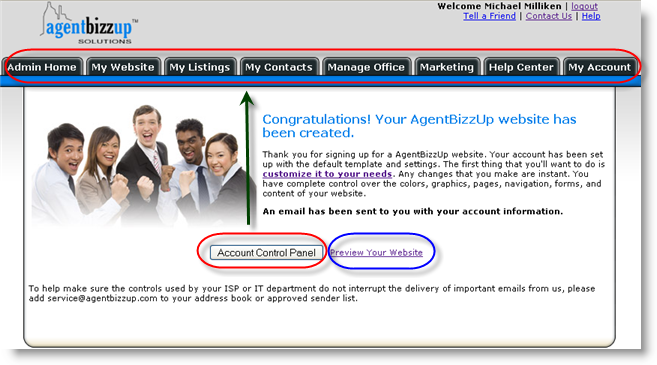
The Account Control Panel enables you to customize your website and manage your account information.