 button on the toolbar.
After that a popup window called "Find and Replace" will appear:
button on the toolbar.
After that a popup window called "Find and Replace" will appear:Find
To find a phrase/word
in the text you should first press the button on the toolbar.
After that a popup window called "Find and Replace" will appear:
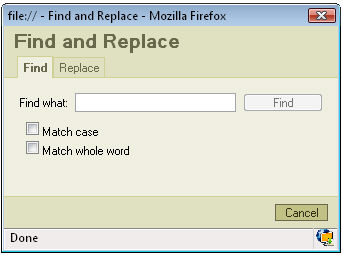
Find what: in this field you place the phrase/word you want to find.
Match case: if you check this option the program will find only the text with the exact cases like e.g. aLberT
Match whole word: if you check this option the program will only look for a whole word. It won't look for a phrase.
After deciding what options you want to use just press "Find" and the program will highlight the phrase/word it finds. If you press "Find" again the program will find the next phrase/word matching your request.
Replace
To replace
a phrase/word in your text press button
on the toolbar. A Popup window will appear:
button
on the toolbar. A Popup window will appear:
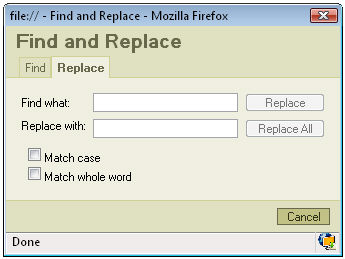
Find what: in this field you place the phrase/word you want to find
Replace with: in this field you place the phrase/word you want to replace your text with.
Match case: if you check this option the program will find only the text with the exact cases like e.g. aLberT
Match whole word: if you check this option the program will only look for a whole word. It won't look for a phrase.
If you want to replace only one phrase/word press "Replace". The program will firstly find your text and highlight it. Then you should press the "Replace" button again in order to go on with the replacement.
If you want to replace all the phrases/words press "Replace All".