Deleting contacts is very easy. You can delete the contact details any time. This facility of deleting the contact enables you to remove obsolete information, filter junk leads, and keep your contacts list up-to-date.
To Delete a Contact, Go to My Contacts Section.
Click Contact List from the left navigator control.
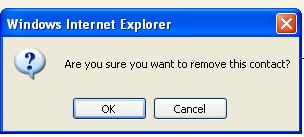
Click Delete in the contact row below the Action column. A message appears 'Are you sure you want to remove this contact?'
Click OK to Delete.
Click Cancel to revert to the screen.